 Job Hours Estimator
Job Hours Estimator
Work out the hours before you work out the price. Labour maths for a single job — with rates that learn from what your jobs on the tools actually took.
Download on the App Store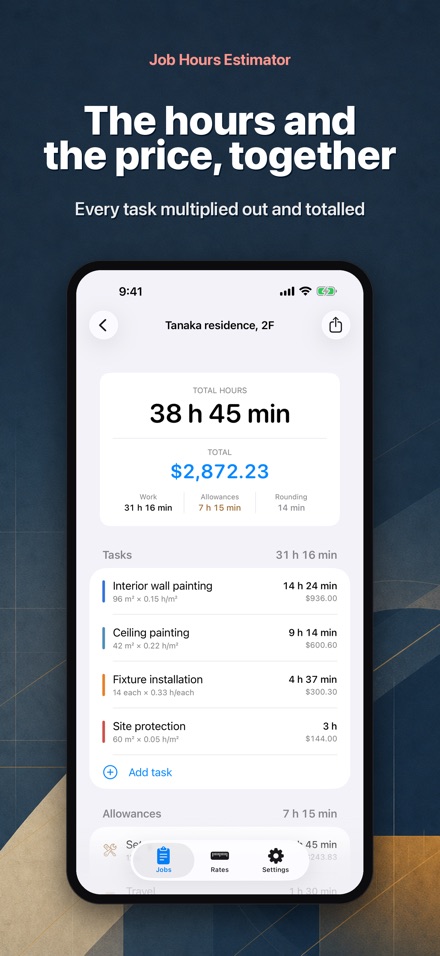
Screenshots
Features
Your own labour rates
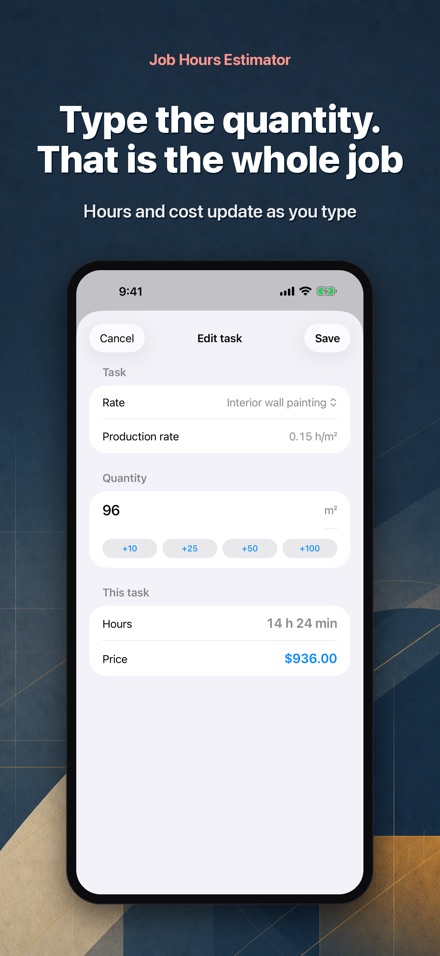
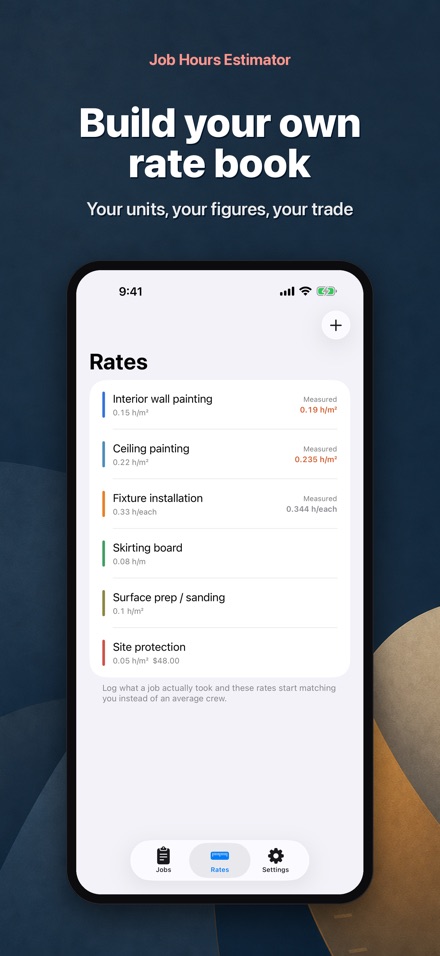
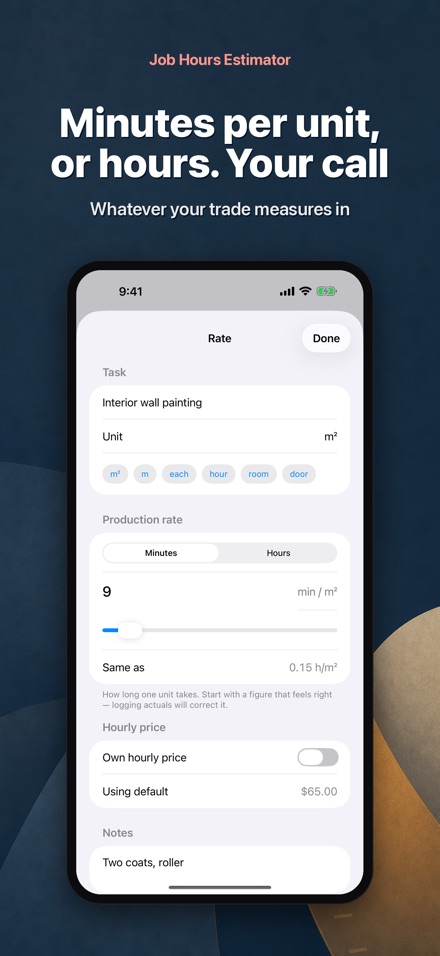
Build task templates out of the figures you actually work to — square metres per hour, minutes per fitting, hours per unit. Units are plain text, so you name them. Punch in a quantity and the hours and the cost come out together.
Rates that become yours
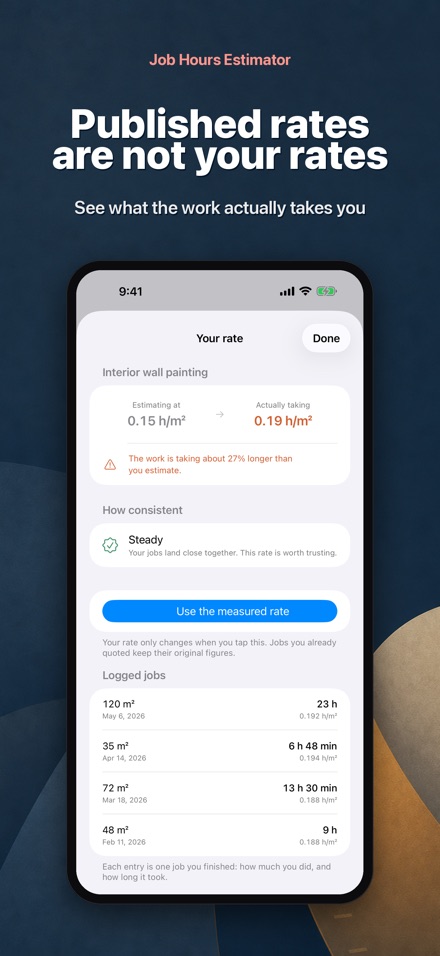
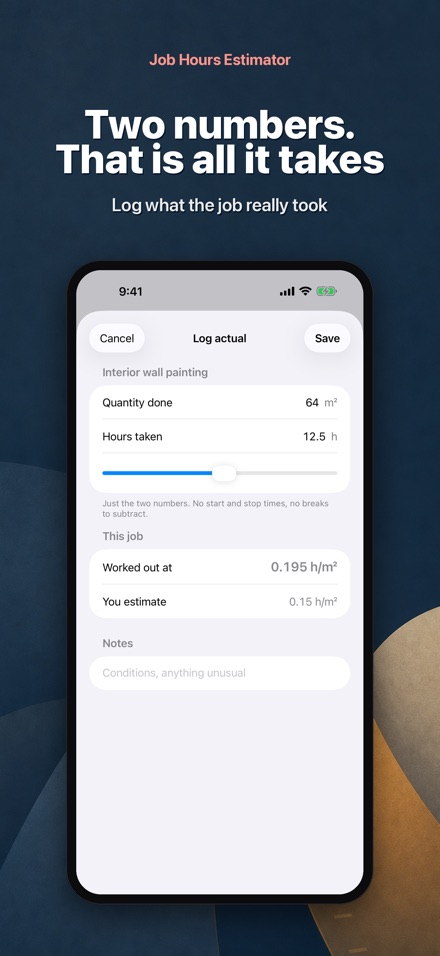
Published rate tables describe an average crew on an average day. They are not you. Log the actual hours as jobs finish and the app works out your measured rate from your own history, weighted by quantity, and shows how consistent those numbers are. Nothing is overwritten automatically — you see both figures side by side and decide.
No estimate under three logged jobs
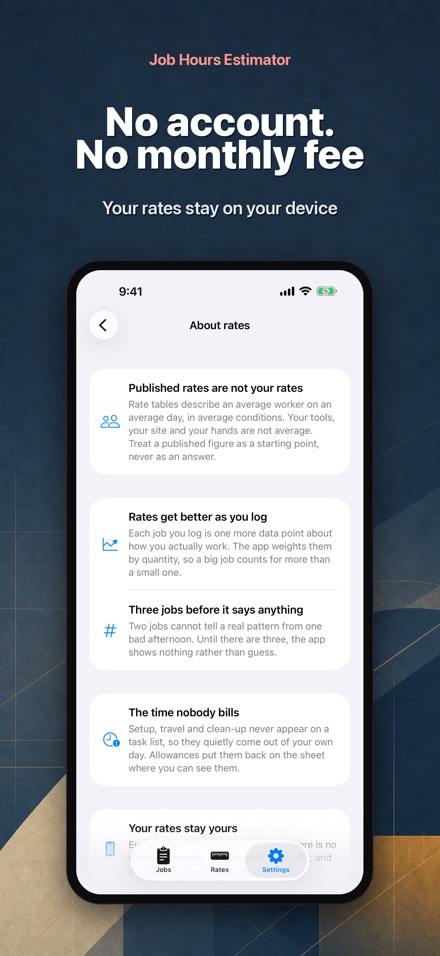
With fewer than three recorded actuals, the app shows nothing at all rather than a number. Two data points are not a rate, and a confident-looking figure built on two jobs is worse than no figure.
The time that usually disappears
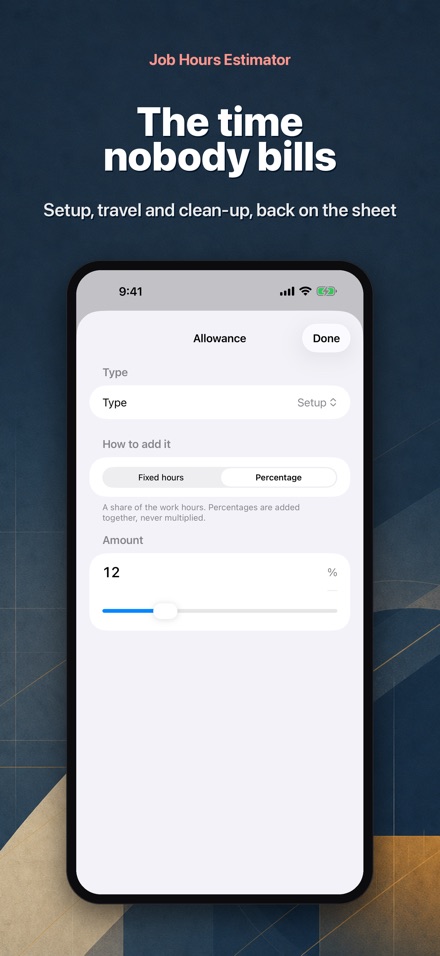
Setting up, travelling, cleaning up and contingency go in as separate allowances — fixed hours or a percentage of the work. Percentages are added together, never compounded, so splitting an allowance in two never inflates the total.
Send the arithmetic on
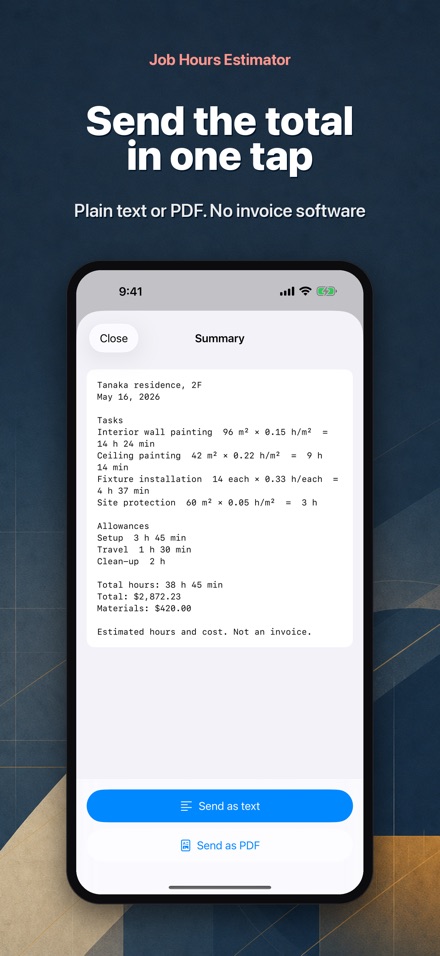
A plain summary of hours and cost goes out as a message or a PDF: the working behind the number, ready to drop into whatever you write your quotes in.
Nothing leaves the phone
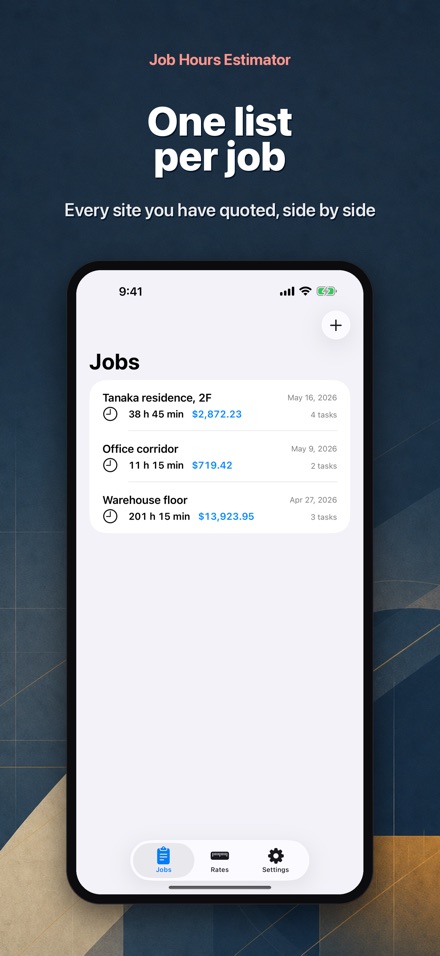
No account, no cloud, no seats for the crew, no subscription. Everything is stored on the device and the app is a one-off purchase. Past quotes keep the rate they were built with, so refining a template never rewrites old figures.
Work out the hours before you work out the price. Job Hours Estimator does the labour maths for a job and stops there — no accounts, no subscription, nothing leaves your phone.
Better still, the rates learn from you. Log what a job actually took and the app shows your real output rate next to the one you guessed.
WHAT IT DOES
Build tasks out of your own labour rates — square metres per hour, minutes per fitting, hours per unit, whatever your trade measures in. Units are plain text, so you set them, not us. On site, punch in the quantities and the hours and the cost come out together.
RATES THAT BECOME YOURS
Published rate tables describe an average crew on an average day. They are not you: different tools, different site, different hands. Record the actual hours as jobs finish and the app works out your measured rate from your own history, weighted by quantity, and tells you how consistent those numbers are. Nothing is overwritten automatically — you look at the two figures side by side and decide.
Under three logged jobs, no estimate is offered. Two data points are not a rate.
THE TIME THAT USUALLY DISAPPEARS
Setting up, travelling, cleaning up and contingency go in as separate allowances, as fixed hours or as a percentage of the work. Percentages are added together, never compounded, so splitting an allowance in two never inflates the total. Those hours finally show up on the page instead of coming out of your own knock-off time.
SEND IT ON
A plain summary of hours and cost goes out as a message or a PDF — the arithmetic behind the number, ready to drop into whatever you write your quotes in.
BUILT TO STAY OUT OF THE WAY
• Everything is stored on the device. No sign-up, no cloud, no seats for the crew
• One-off purchase. No monthly fee, no per-user pricing
• Enter rates as hours per unit or minutes per unit, whichever you think in
• Optional rounding of total hours to the next 15, 30 or 60 minutes
• Hide the money column entirely if you only want hours
• Past quotes keep the rate they were built with, so refining a template never rewrites old figures
• Per-task hourly rates override the default when one trade prices differently
• Add a line for materials or other costs to reach a total
This is the arithmetic of estimating, not a quoting or invoicing package. It multiplies out your own figures and totals them. The labour rates, the hourly rate and what you finally charge are your decisions — this app does not advise on pricing and does not produce an invoice.