 Slope & Fall Level
Slope & Fall Level
A level for when the answer isn't zero — set any fall and hit it bang on.
Download on the App Store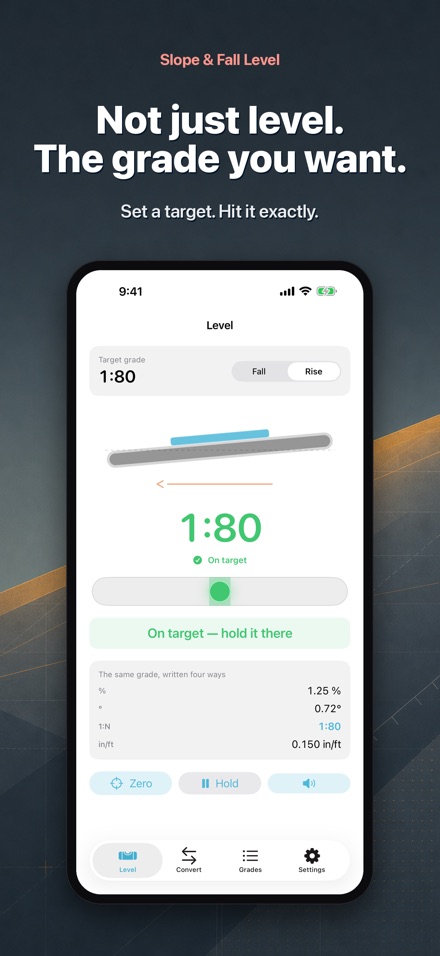
Screenshots
Features
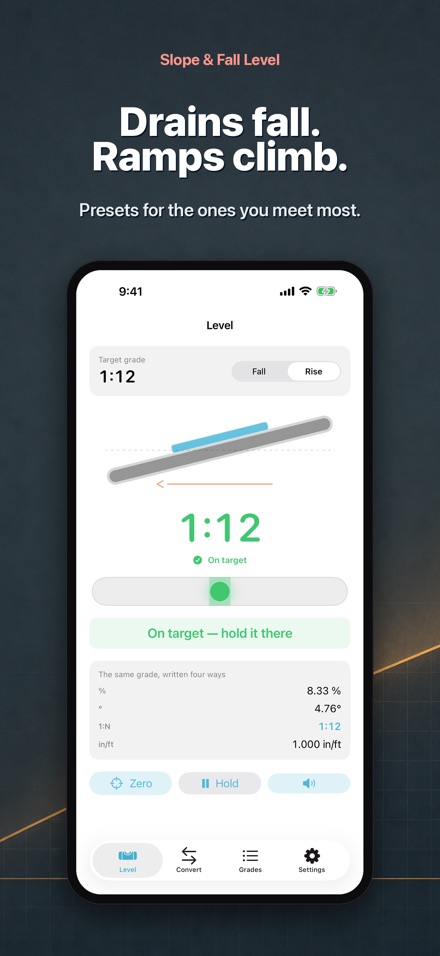
Set the fall you actually need
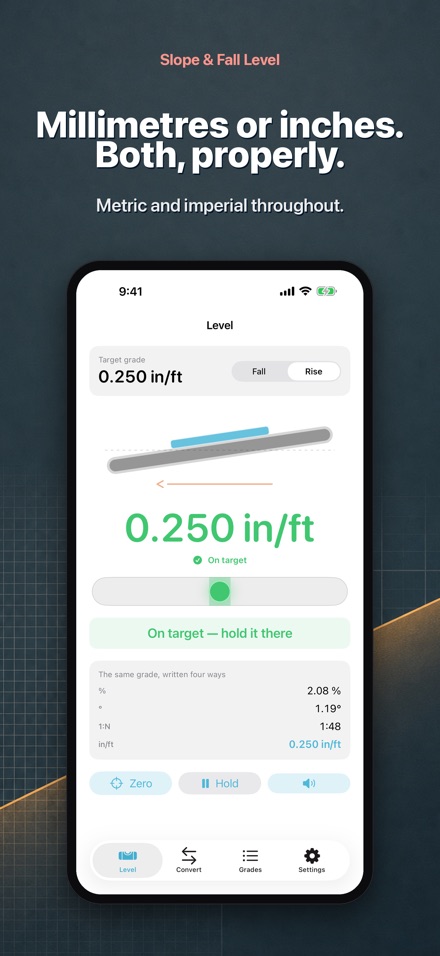
Most spirit levels only tell you whether something is flat. A drain has to fall, a ramp has to climb and a deck has to shed water. Enter the grade you want and the app shows the difference between where you are and where you want to be.
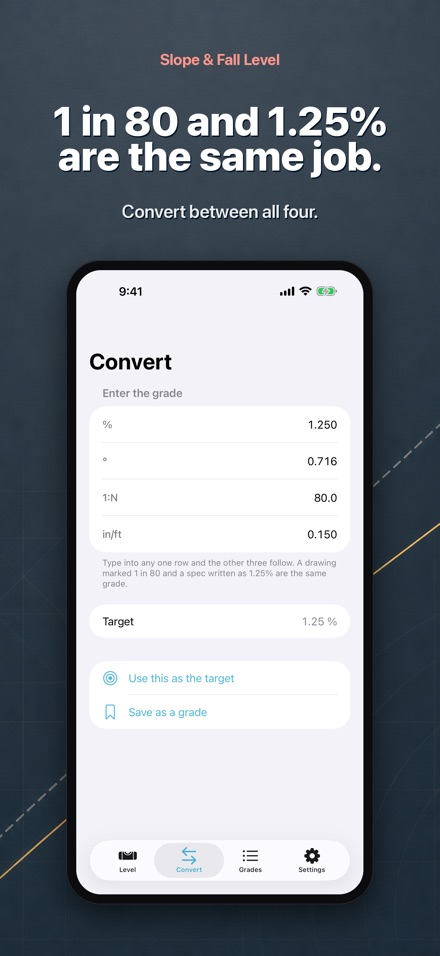
Four notations, one job
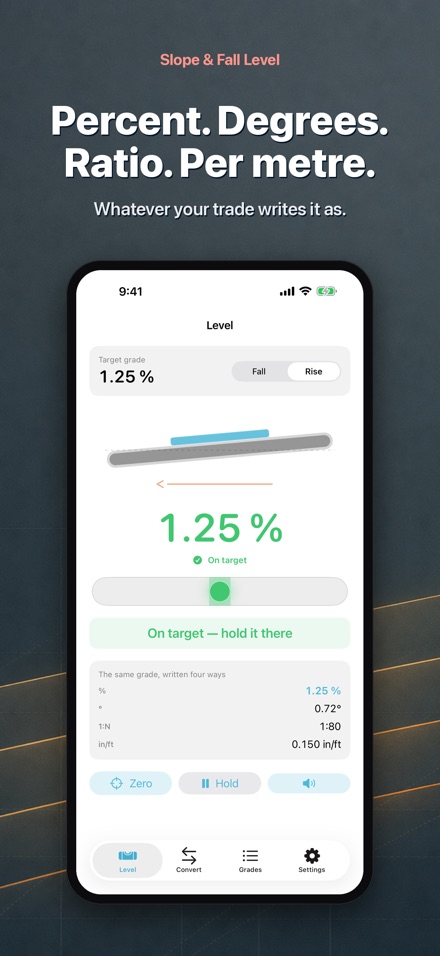
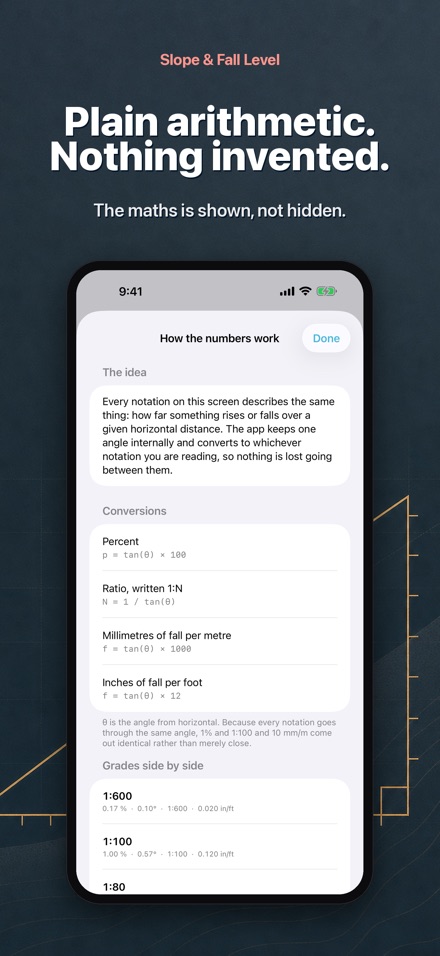
Percentage, angle, a ratio like 1:80, or a fall in millimetres per metre. The app converts between all of them, so a drawing marked 1 in 80 and a spec written as 1.25% stop being two different problems.
It tells you which way to move
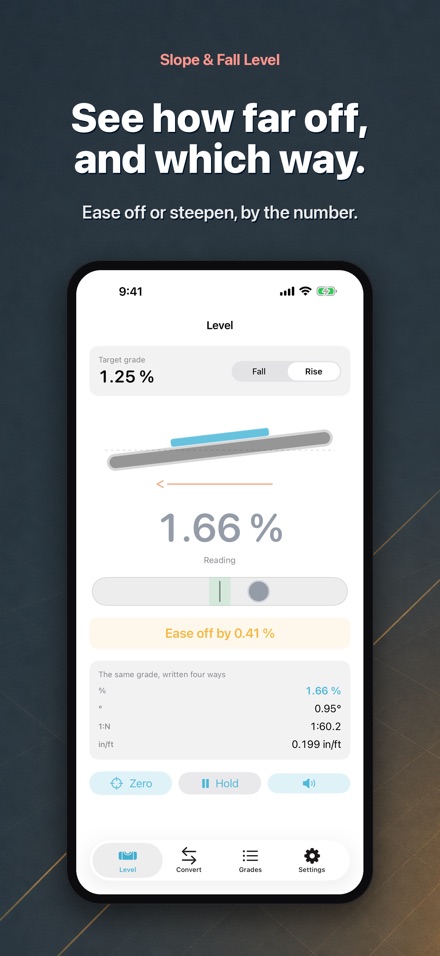
Not just how far off you are, but whether to ease the fall off or steepen it, and by how much.
A tone when you reach it
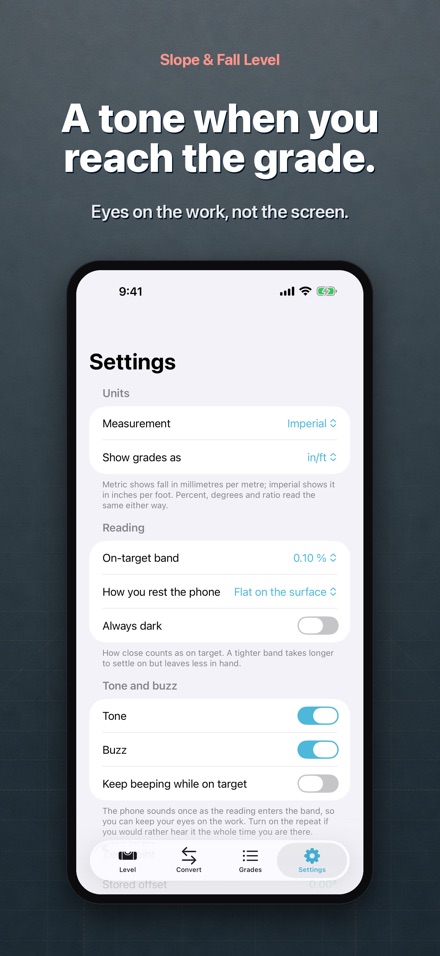
Get the grade right and the app sounds a tone and gives a short buzz, so you can keep your eyes on the work instead of the screen.
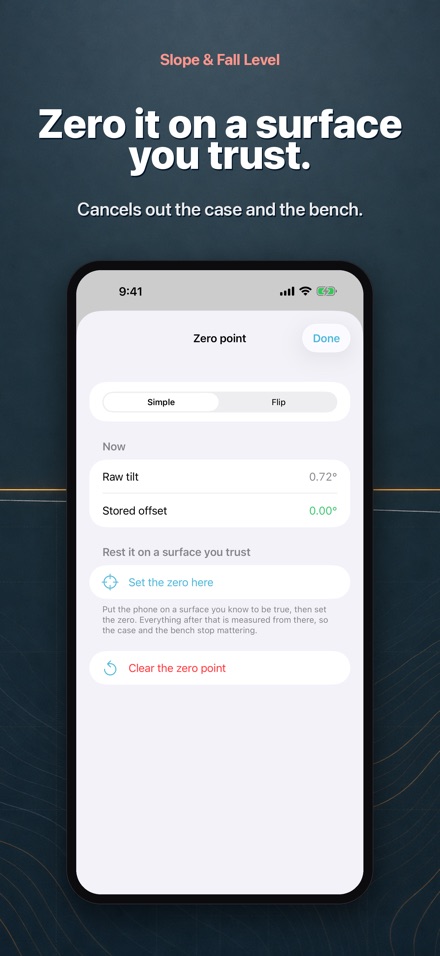
Calibrate against a surface you trust
Zeroing on a known-true surface cancels out the phone case and any benchtop that is not quite flat.
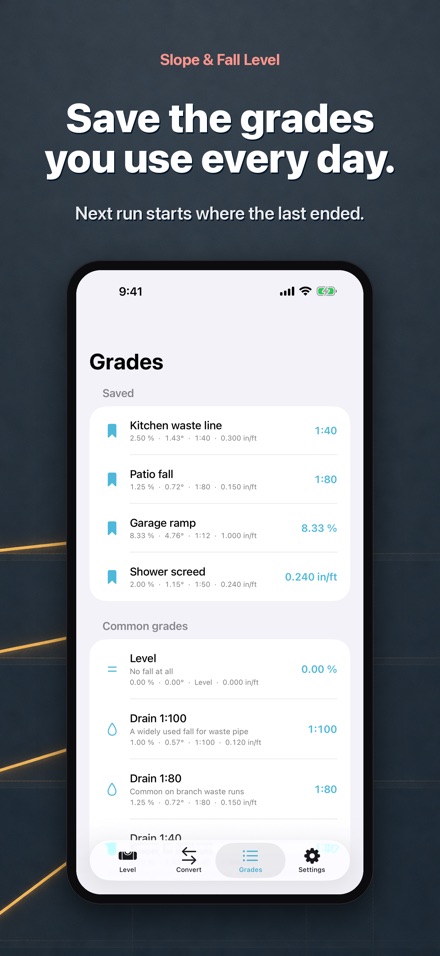
Save the grades you use often
Drains, ramps, gutters and decks are already there as presets, and you can store your own so the next run of pipe starts where the last one left off.
Most spirit levels only tell you one thing: whether something is flat. But a drain has to fall, a ramp has to climb, and a deck has to shed water. Slope & Fall Level is built for the times the answer is not zero.
Enter the fall you want in whatever notation your trade uses — a percentage, an angle, a ratio like 1:80, or a fall in millimetres per metre. The app converts between all of them, so a plan marked 1:80 and a spec written as 1.25% stop being two different problems.
Rest the phone on the stormwater line, the decking board or the screed rail, and the display shows the difference between where you are and the grade you want. Get it right and the app sounds a tone and gives a short buzz, so you can keep your eyes on the work instead of the screen.
Calibrate against a surface you trust to cancel out the case and any bench that is not quite true. Save the grades you use often, so the next run of agi pipe or the next set of joists starts where the last one left off.
Readings come from the phone's own motion sensors, and accuracy depends on the phone lying flat and still on a straight surface. It works alongside your level and your laser, not in place of them, and any grade that has to meet the Australian Standards or a set of plans should be confirmed with the instrument those plans were written for.