 RecoatWindow: Second Coat
RecoatWindow: Second Coat
The can assumes 21C and 50% humidity. Your unheated garage in April does not.
Download on the App Store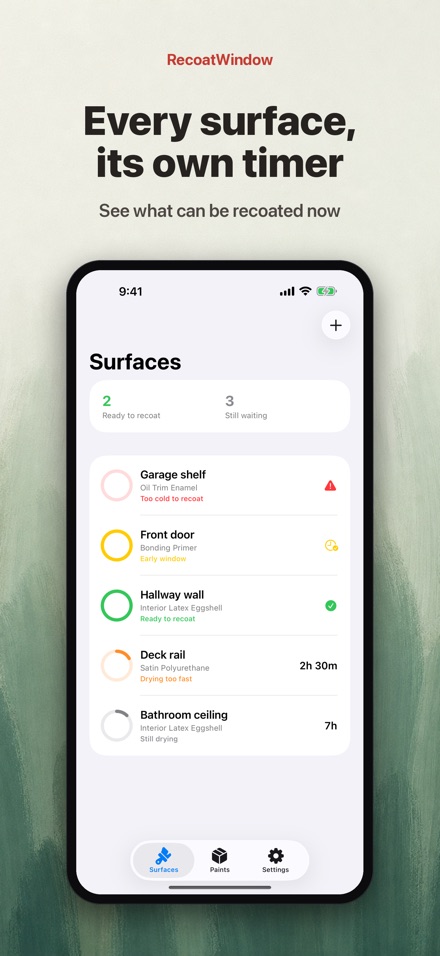
Screenshots
Features
A window, not a number
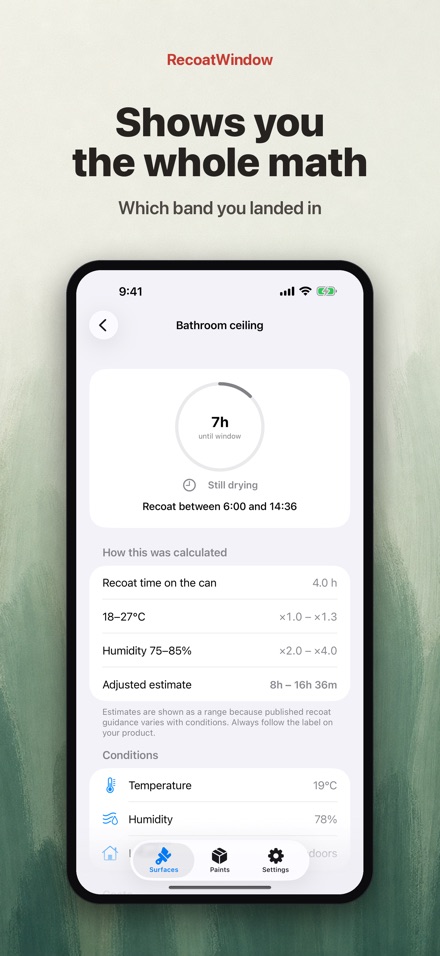
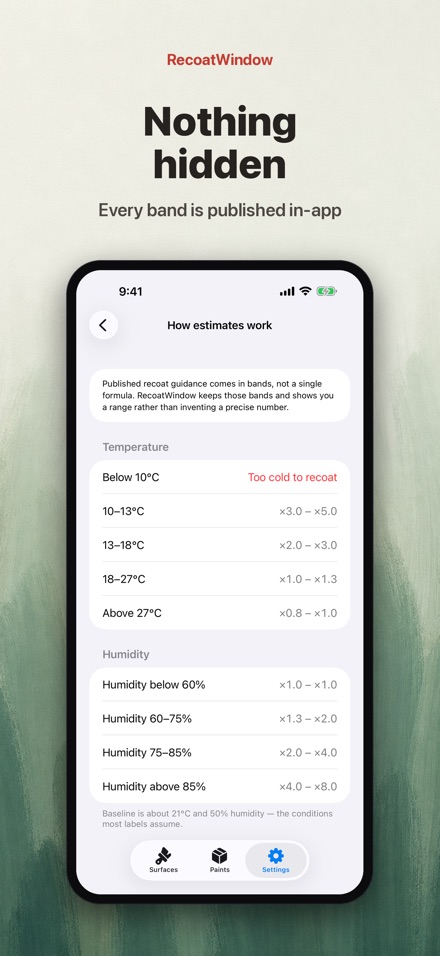
Published recoat guidance comes as broad bands, not as a formula, so RecoatWindow does not invent one. You get a start and an end, and the app shows you which band your conditions landed in.
You enter the can, not a database
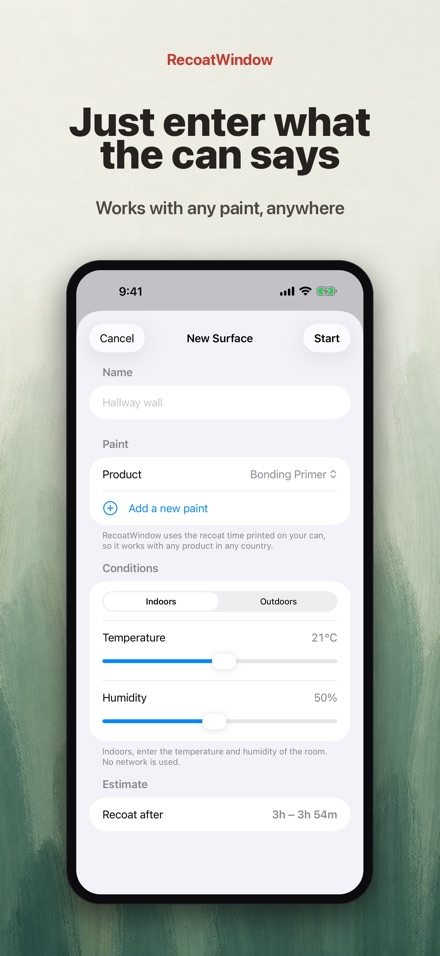
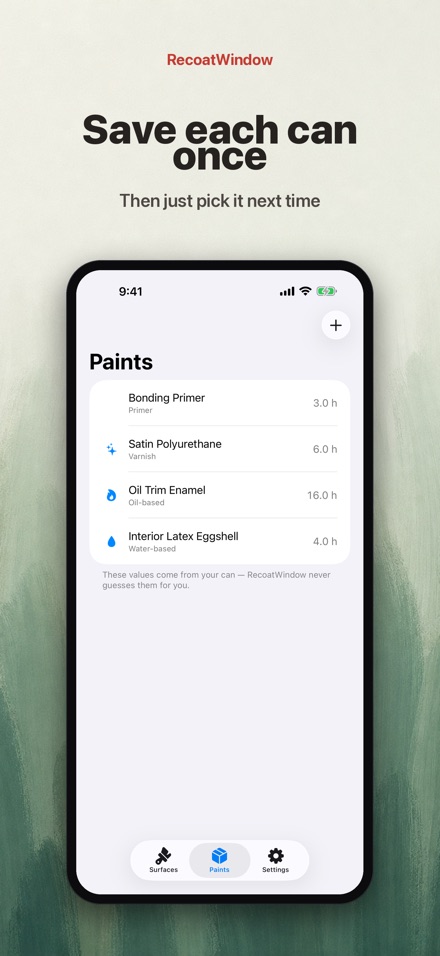
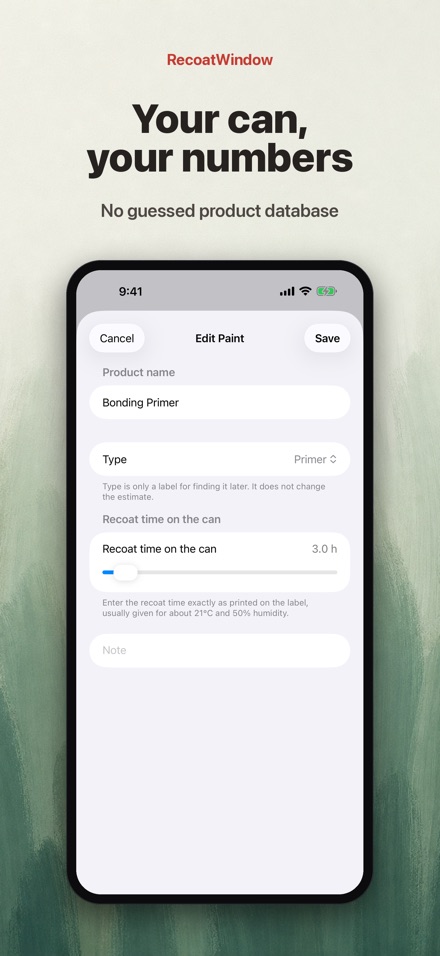
There is no built-in product list. You read the recoat time off the can in your hand and type it in, so it works with any brand, latex or alkyd, including the one you picked up this morning. Save it once with a name and it is one tap next time.
Every surface gets its own clock
The hallway wall, the front door, the deck rail. Each one runs its own timer, side by side, from the moment you tap just painted. The list tells you at a glance how many are ready and how many are still waiting.
On your Lock Screen
A Live Activity keeps the countdown on your Lock Screen, no unlocking required. The bar turns green as soon as a surface reaches its window, and the button beside it logs the next coat for you.
It will tell you not to paint
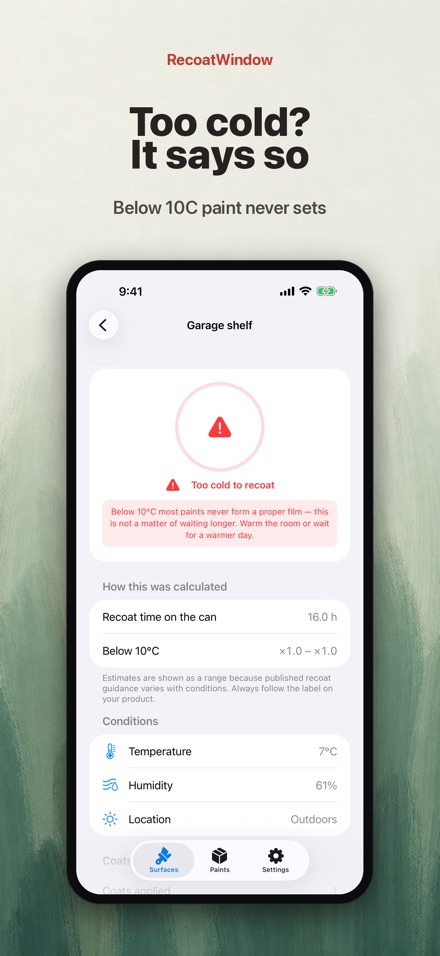
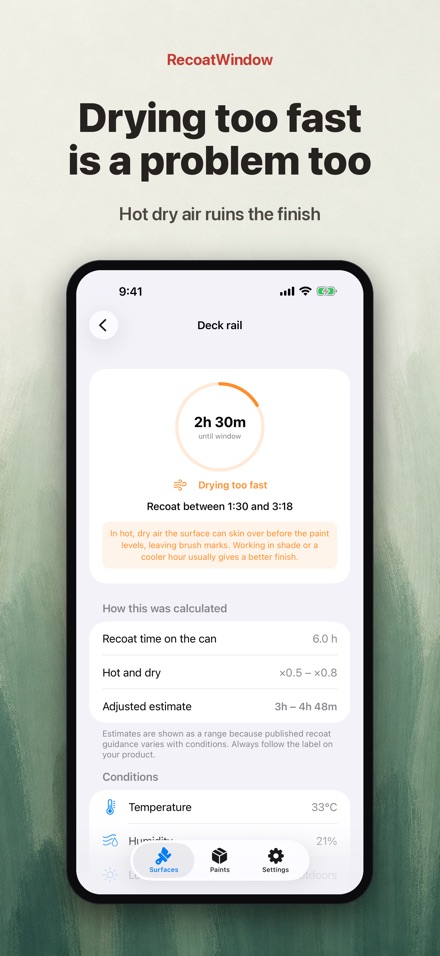
Below 10C the film never sets properly, so the app withholds the number entirely rather than quoting a longer wait. When the air is hot and dry it warns that the surface may skin over before it levels, instead of reporting a welcome early finish.
Indoors by default
Most painting happens indoors, where the weather outside is beside the point. Indoor mode is the default and makes no network requests at all. Switch to outdoor mode and conditions are fetched for your location.
The can says "recoat in 4 hours" — but that number assumes 21C and 50% humidity.
In a cool basement or an unheated garage the real wait can be twice as long, and nothing tracks it for you.
RecoatWindow takes the recoat time printed on your can and stretches it to the air you are actually painting in.
WHY A RANGE, NOT A NUMBER
Published drying guidance exists as broad bands, not as a formula. So RecoatWindow does not invent one.
You get "ready between 5h20m and 7h10m from now" — a window with a start and an end, not a single promise.
It is an estimate to plan around. The label on your product always has the final word.
YOU ENTER THE CAN, NOT A DATABASE
There is no built-in product list. You read the recoat time off the can in your hand and type it in — which means
RecoatWindow works with any brand, latex or alkyd, including the one you picked up this morning. Save it once with a
name and it is one tap next time. No stale manufacturer data, no number that is wrong for your product.
IT ALWAYS SHOWS THE MATH
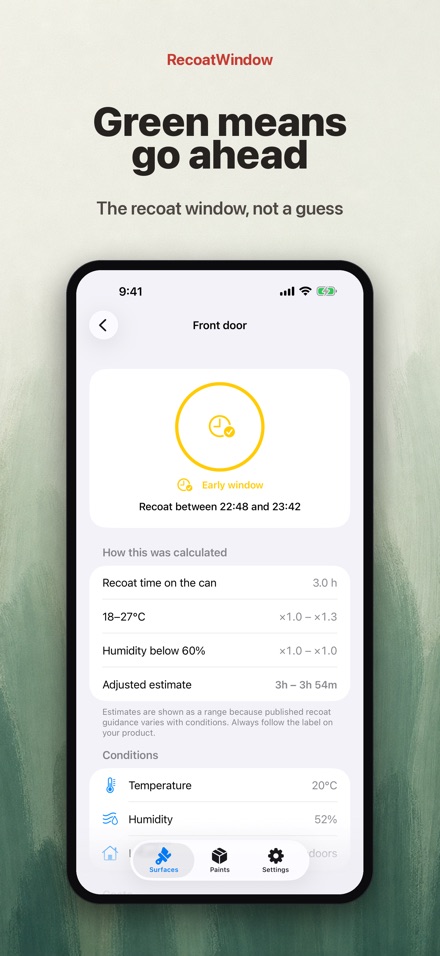
Every estimate opens up:
4h on the can -> 18C band (x1.0-1.3), RH 72% band (x1.3-2.0) -> 5h12m - 8h36m
You can see exactly which band you landed in and how far your conditions are from the 21C / 50% baseline.
No black box, no mystery multiplier.
EVERY SURFACE GETS ITS OWN CLOCK
The hallway wall, the front door, the deck rail — each one runs its own timer, side by side, from the moment you
tap "just painted". The list tells you at a glance how many are ready now and how many are still waiting.
ON YOUR LOCK SCREEN
A Live Activity counts the wait down without unlocking your phone. The bar turns green the moment a surface enters
its window, and there is a button right there to log the next coat — which immediately starts the timer for the one
after that. In the Dynamic Island you see whichever surface is closest to ready.
IT WILL TELL YOU NOT TO PAINT
Two conditions are not a matter of waiting longer:
Below 10C — the film does not form properly. In an unheated garage in spring this matters. RecoatWindow shows no
number at all and says do not recoat.
Hot and very dry — drying too fast is not good news. You get a warning that the surface may skin over before it
levels, leaving brush marks, rather than a cheerful "ready early".
INDOORS BY DEFAULT
Most painting happens indoors, where the weather outside is irrelevant — so indoor mode is the default and you set
temperature and humidity by hand, starting from the 21C / 50% baseline. Switch to outdoor mode and current
conditions are fetched for your location, still adjustable by hand, with one tap to snap back to live values.
In indoor mode the app makes no network requests at all.
ALSO INSIDE
Home Screen widgets — the next surface to come due, or your top three at a glance
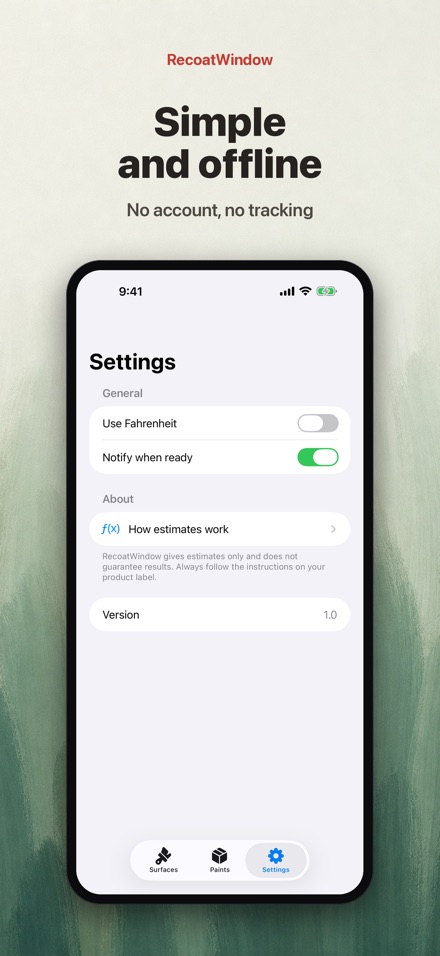
Optional alerts when a surface enters its window, and a heads-up when it drops below 10C
Coat history per surface (first coat 14:20, second coat 19:40), plus a note and a photo
Celsius or Fahrenheit
A plain-language page explaining every band the app uses and where the guidance comes from
PRIVACY AND PRICE
One purchase, everything included. No subscription, no ads, no accounts. Your surfaces and products stay on your
device. In outdoor mode a rounded coordinate is sent to fetch the weather and nothing else — no tracking, no analytics.
RecoatWindow gives you a guide to plan around, not a guarantee about your finish. Conditions vary, surfaces vary,
products vary. Always follow the instructions on your product.